


How to install and set up FacturaScripts
Plugin development for the open-source Spanish ERP
What is FacturaScripts?
FacturaScripts is open-source invoicing, accounting, ERP and CRM software developed in PHP. It's the Spanish alternative to proprietary solutions, with an active community and great flexibility for customization.
🚀 Main Features
- Invoicing and quotes
- Stock and inventory management
- Accounting and treasury
- CRM and customer management
- Modular plugin-based system
💻 Technologies
- Backend: PHP 7.4+
- Database: MySQL/MariaDB
- Frontend: HTML5, CSS3, JavaScript
- Framework: Custom (MVC)
- APIs: REST API included
System Requirements
📋 Web Server
- Apache 2.4+ with mod_rewrite
- Nginx 1.14+ with rewrite rules
- PHP 7.4 or higher (8.x recommended)
- MySQL 5.7+ or MariaDB 10.2+
🔧 Extensions PHP
- PDO MySQL
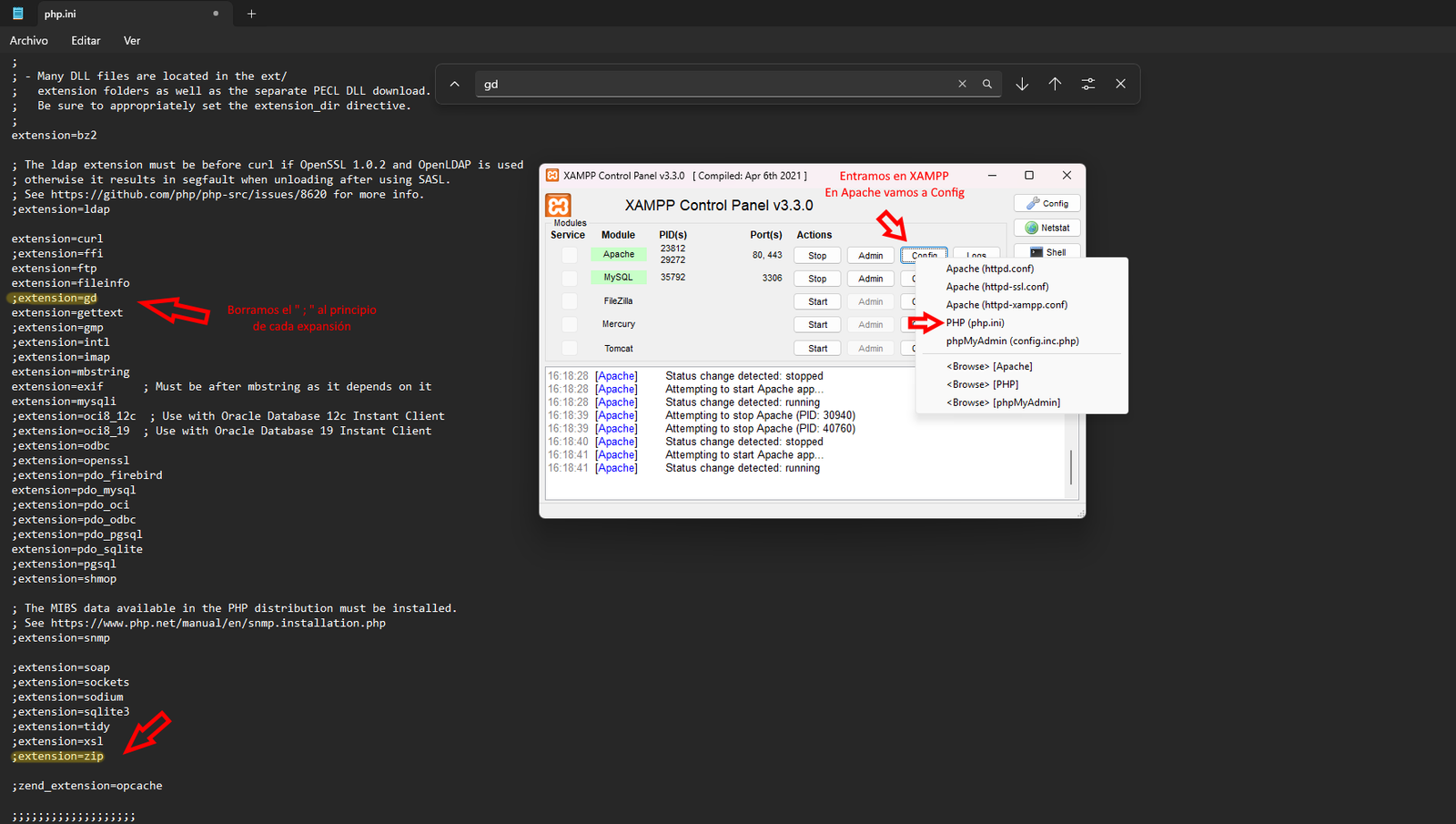
- GD Library
- cURL
- OpenSSL
- XML
- ZIP
💾 Disk Space
- 200 MB for the application
- Additional space for documents
- Automatic backups
Installing FacturaScripts
Step 1: Download FacturaScripts
Visit the official FacturaScripts and download the latest stable version.
Or download it by clicking here Download and download the latest stable version.
# Download from the command linewget https://facturascripts.com/DownloadBuild/1/stableStep 2: Extract to the correct directory
For XAMPP:
# Extract to:
C:\xampp\htdocs\facturascripts\  (Windows)
/opt/lampp/htdocs/facturascripts/ (Linux)
/Applications/XAMPP/htdocs/facturascripts/ (macOS)
For WAMPP:
# Extract to:
C:\wamp\www\facturascripts\
For Linux servers:
# Extract to:
/var/www/html/facturascripts/
Step 3: Web installation
- Open your browser and go to:
http://localhost/facturascripts - Follow the installation wizard
- Configure the database
- Create the admin user
- Complete the company information
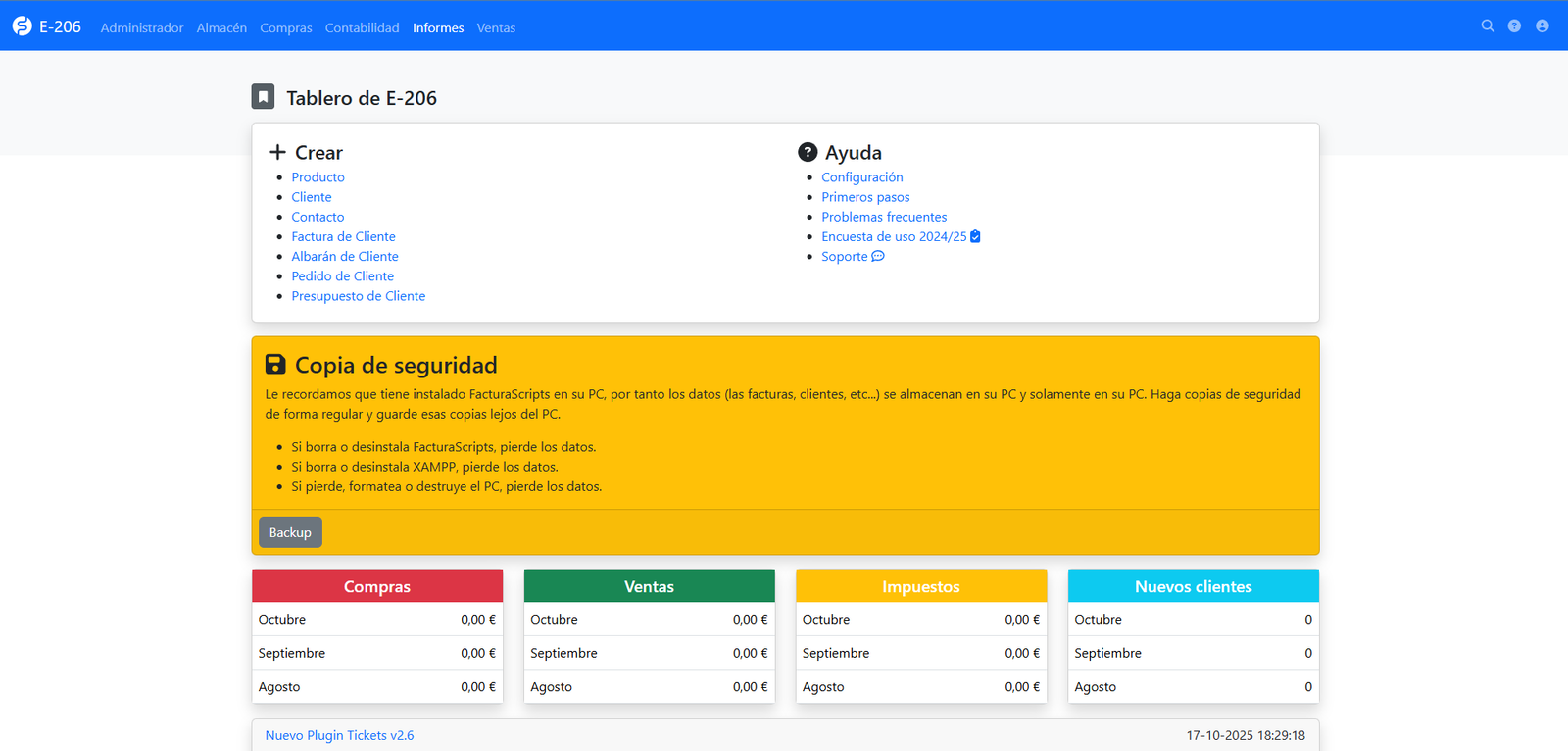
Installation Screenshots
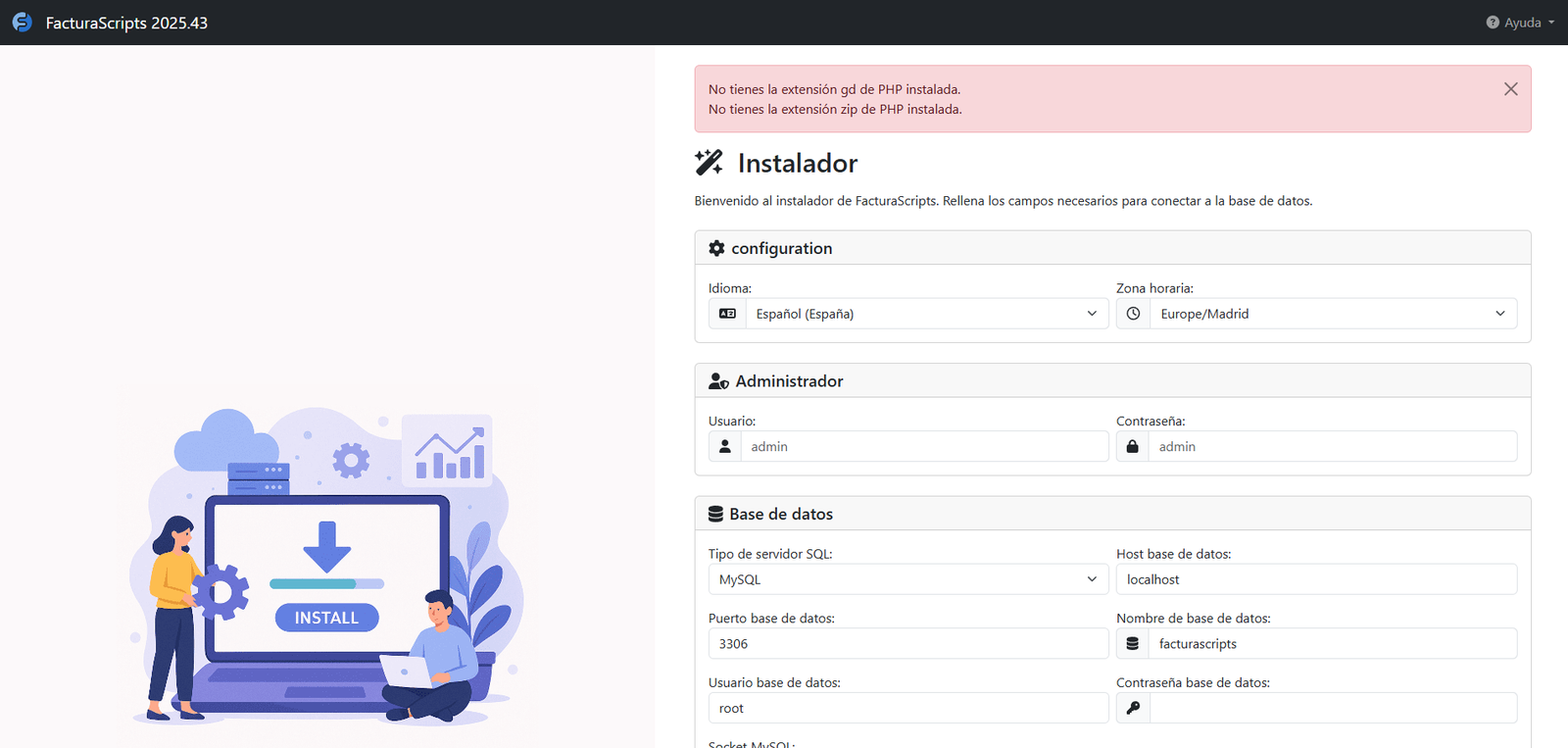
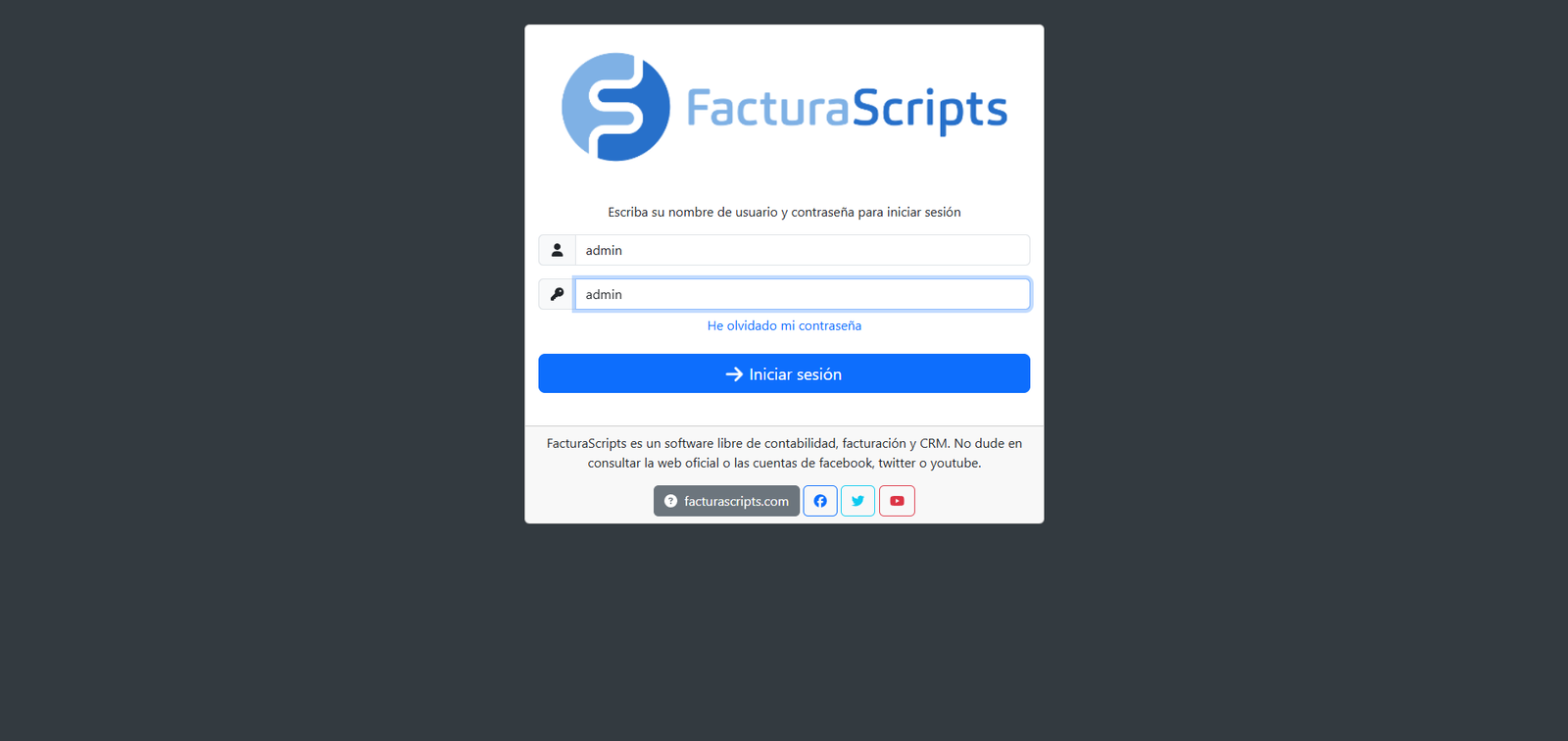
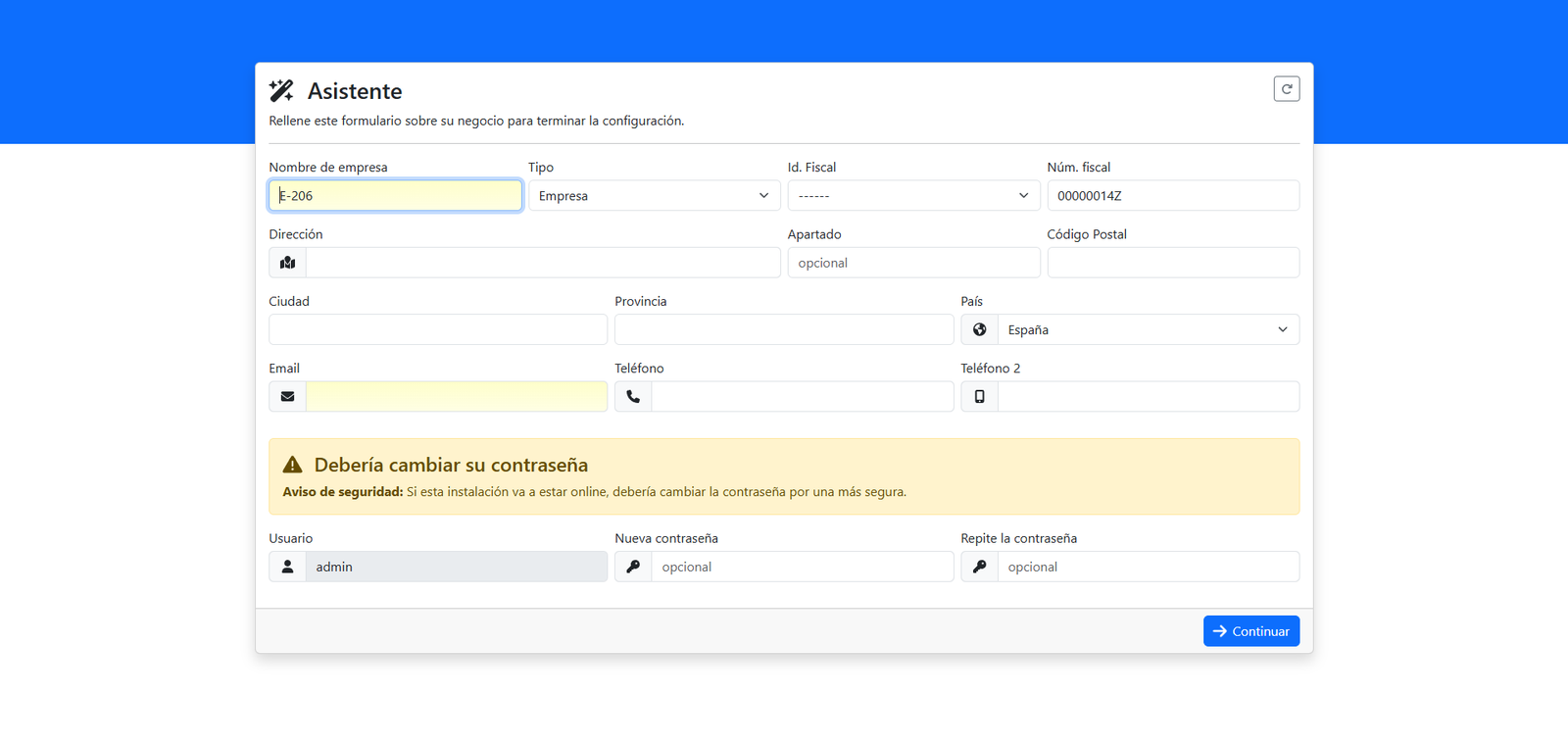
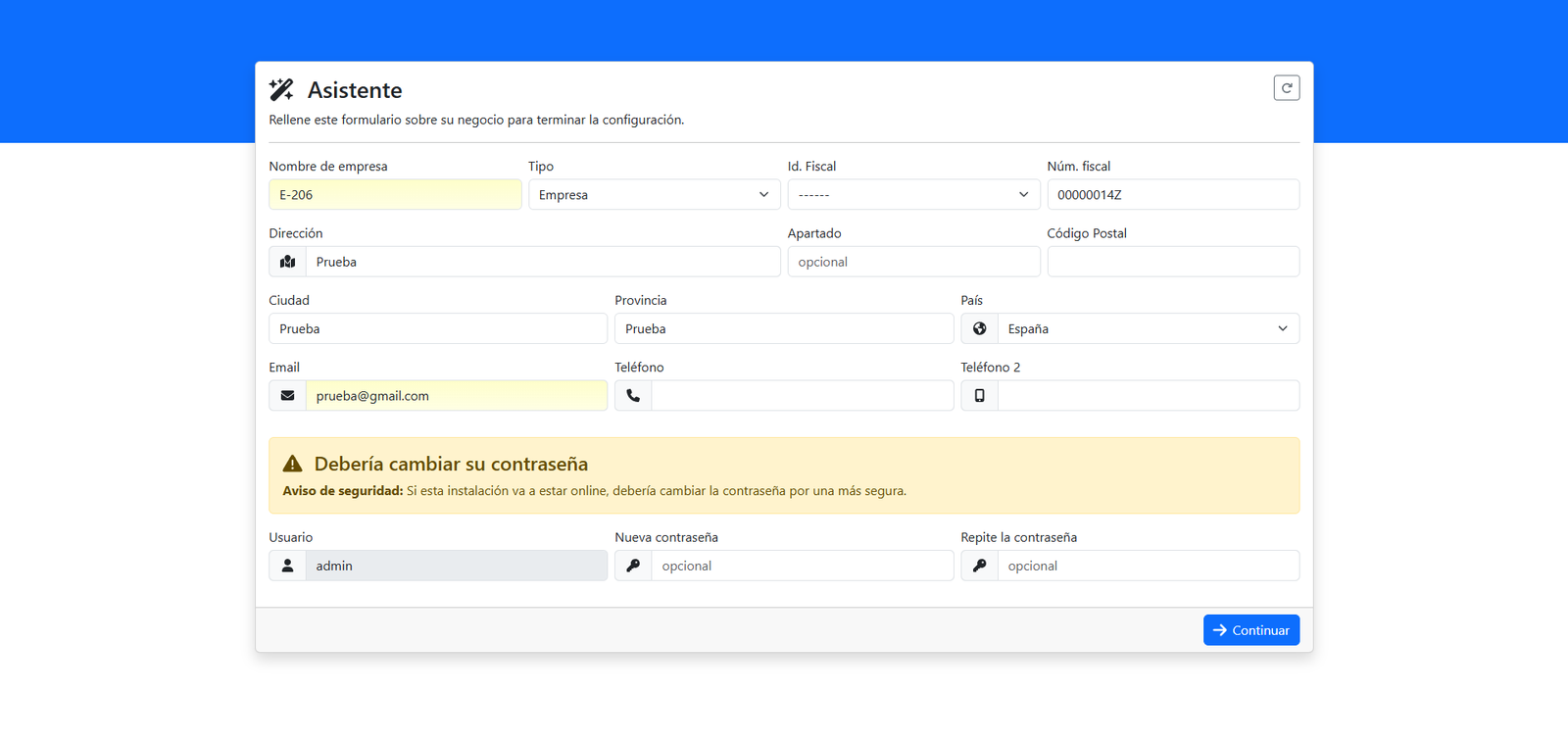
Installing the extension gd and zip in XAMPP
Directory Structure
facturascripts/
├── Core/                 # System core│   ├── Base/            # Base classes│   ├── Controller/      # Controllers│   ├── Model/           # Data models│   └── View/            # Views├── Dinamic/             # Directory for developers│   ├── Controller/      # Custom controllers│   ├── Model/           # Custom models│   ├── View/            # Custom views│   └── Lib/             # Custom libraries├── Plugins/             # Installed plugins├── MyFiles/             # Uploaded files and documents├── node_modules/        # JavaScript dependencies└── vendor/              # PHP dependencies (Composer)
Plugin Architecture
What is a plugin in FacturaScripts?
A plugin is a module that extends the system's base functionality. It can add:
- New controllers (pages)
- Additional data models
- Automatic processes (Cron jobs)
- Custom APIs
- Dashboard widgets
Structure of a plugin
Plugins/
└── MiPlugin/
    ├── Controller/
    │   └── MiControlador.php
    ├── Model/
    │   └── MiModelo.php
    ├── View/
    │   └── MiVista.html
    ├── Lib/
    │   └── MiLibreria.php
    ├── Translation/
    │   └── es_ES.json
    └── facturascripts.ini
Plugin Activation and Testing
Step 1: Activate the plugin
- Go to the admin panel
- Navigate to "Administration → Plugins"
- Find "Mi Primer Plugin" in the list
- Click "Activate"
Step 2: Verifying the installation
After activating the plugin, you should see:
- A new menu item "Mi Plugin"
- A new table in the database
- The ability to create records in your model
Step 3: Test the functionality
Access your new controller by navigating the menu and verify that:
- The page loads correctly
- You can create new records
- Data is saved in the database
- There are no errors in the log
Hooks and Extensions
What are Hooks?
Hooks let you extend the core's functionality without modifying the original files.
Example: Hook to send an email when an invoice is created
<? php
namespace FacturaScripts\Plugins\MiPlugin\Lib;

use FacturaScripts\Core\Base\Contract\SalesLineInterface;
use FacturaScripts\Core\Model\FacturaCliente;

class FacturaHook implements SalesLineInterface
{
    public function exec($model, $user) {
        if ($model instanceof FacturaCliente && $model->isInsert()) {
            $this->enviarEmailFactura($model);
        }
    }

    private function enviarEmailFactura(FacturaCliente $factura) {
    }
}
Common Troubleshooting
Plugin doesn't appear in the list
- Check that the directory has read permissions
- Check that facturascripts.ini is well formed
- Check the logs in
MyFiles/Logs/ - Force a plugin reload from Admin → Update
Database errors
- Check that the BD user has permissions CREATE TABLE
- Check there are no tables with the same name
- Check the database collation (utf8mb4)
PHP Errors
- Enable debug in config.php
- Check the version of PHP (minimum 7.4)
- Check that all required extensions are active
- Check memory_limit in php.ini
Best Practices
📁 Code Structure
- Follow PSR-4 for autoloading
- Use namespaces correctly
- Maintain MVC separation MVC
- Document the code
🔒 Security
- Always validate input data
- Use prepared statements
- Respect user permissions
- Sanitize output HTML
🎯 UX/UI
- Use FacturaScripts' template system FacturaScripts
- Keep consistency with the core's style
- Make plugins responsive
- Provide translations